Where to start with AI in a legacy (or not-so-legacy) enterprise project.
The ticket looked small. Change the way a payment retry gets scheduled. One file, maybe two.
It touched three repositories, two databases, and a nightly job nobody in the room had thought about. We caught it in staging, which was luck more than process. No one wrote down the rule that tied those pieces together. It lived inside a stored procedure someone wrote years ago, and in the memory of a developer who had already moved to another team.
I have joined enough of these systems to recognize the shape. The company is not disorganized. It has been shipping for fifteen years, and at some point documentation lost the race against delivery. That is not a scandal. It is the normal state of a business that survived long enough to have legacy.
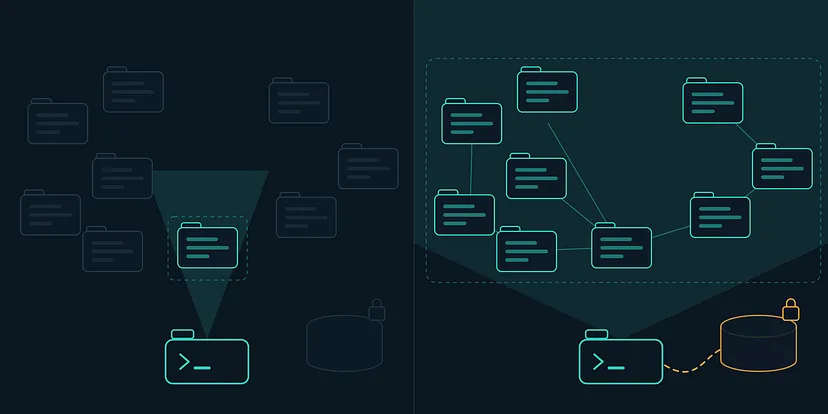
Now put an AI assistant into that picture. It reads the folder you opened, and nothing else. You ask it to change the retry logic, and it gives you a confident, well-written answer about the one repository it can see.
The answer was not wrong. It was partial, and partial is the expensive kind of wrong.
The setup everyone describes is the one you don’t have
If you read anything about AI in the enterprise right now, you get the same destination. A company brain. Every repository indexed, every document embedded, every ticket and dashboard connected, and an assistant that can answer anything about the business because it has been fed the business.
That destination is real, and it is better than what I am about to describe. I am not arguing against it.
I am arguing about Monday.

Getting there means a platform decision, a budget, a security review, an identity integration, and often a day or two just to index the code before anyone can ask the first question. For a large organization, that is a project with a name and an owner. Most of that spend never makes it out of the pilot stage, which is worth knowing before you pin your quarter to it.
Meanwhile, you were assigned a ticket. It is due this sprint. The company hasn't decided anything about AI yet, and it won't decide this week because you asked.
So the useful question is not which platform to buy. It is what you can do alone, today, with permission you already have.
Open the folder above the repo
Here is the first move, and it costs nothing.
Most of us open the assistant inside the repository we are working on. That feels correct. That is also why the assistant keeps missing things.
The business unit of work is the system. The unit of work you handed the assistant is one repository.
So go up one level. Put every repository of that system in a single parent folder on your machine, and open the assistant there.
payments-platform/ api-gateway/ billing-service/ subscriber-web/ admin-portal/ identity-service/ notifications-service/ batch-jobs/ reporting/ legacy-db/
Nothing about this is clever. You are not installing anything, not asking for access, not changing how the team works. Every repository stays independent, with its own branches and its own pipeline. The only thing that changed is what the assistant can see when you ask a question.
And the question you can now ask is the one that actually matters: if I change this, what else breaks?
Be honest about the cost, because there is one. A big folder is a lot of context, and context is not free. The assistant gets slower and occasionally wanders into a repository that has nothing to do with your problem. What works for me is stating the boundary in the same sentence as the task: the change is in the billing service, but check the batch jobs and the gateway for anything that reads the same table. That single sentence does most of the work.
You should also expect the first honest surprise here. When the assistant can see everything at once, it starts finding duplicated logic that two teams wrote separately without knowing. That is useful information, and it is also a conversation you may not have budget for this sprint. Write it down and keep moving.
The logic nobody ever wrote down
Reading all the code still isn't enough, and this is the part people outside engineering find hardest to believe.
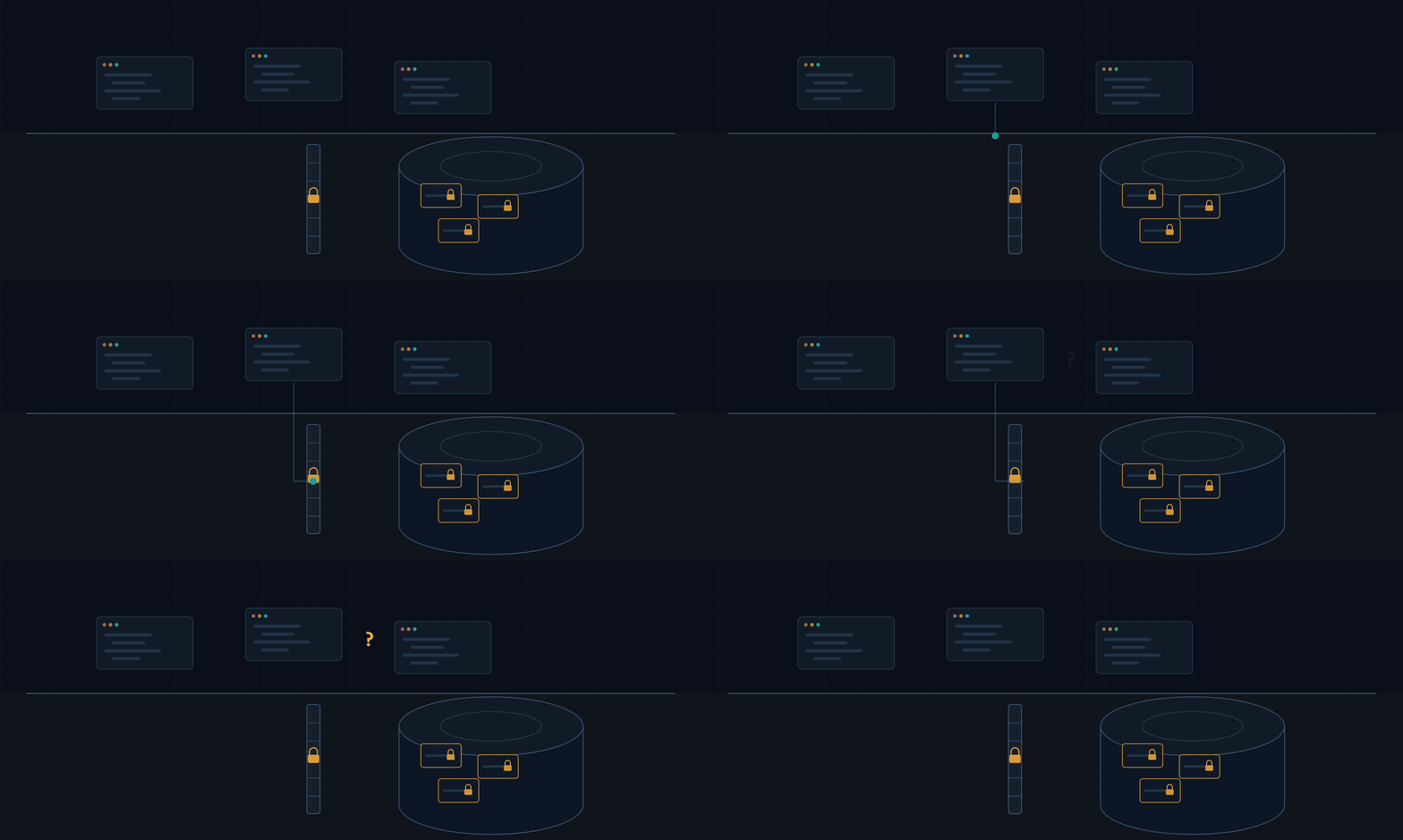
In a mature enterprise system, much of the business logic isn't in the application code at all. It is in the database. Stored procedures, triggers, views, and scheduled jobs encode rules about pricing, eligibility, renewals, and cancellations. Rules that were correct in 2011, patched in 2015, and never documented. In systems of this age, it is common to find hundreds of procedures and no reliable map of which ones still matter.
That knowledge is what people call tribal knowledge, and the risk is not abstract. It walks out of the building when someone resigns.
For an assistant, this creates a specific blind spot. It can read your repository perfectly and still be wrong about what the system does, because the decisive rule is a procedure it never saw. Worse, those databases usually sit behind a private network. The assistant has no route to them, and for good reason.
So you have to decide, deliberately, what the assistant is allowed to know about the data layer. Not the data. The shape of it.
Plug in what already knows things
This is where the practical shortcut lives, and it is smaller than people expect.
There is now a standard way to give an assistant a door into another system. It is called MCP (yeah, at this point most of us know about it, but it is amazing the amount of people I keep seeing that don’t use it), and the only thing you need to understand about it is the shape: instead of copying information into the assistant, you connect the assistant to the source, with the permissions you choose. The ecosystem passed a hundred and eighty connectors this year, so most of the tools your company already pays for have one.

Two of them change the conversation immediately.
The ticket tracker. Connect Jira, or whatever you use. Now the assistant can read the ticket, the comments, the linked issues, and the history of what was tried before. That last part is the one people underestimate. Half of what a senior developer knows about a legacy system is not in the code, it is in the argument that happened in a ticket three years ago. Suddenly the assistant can read that argument.
The database, read-only. The good connectors default to read-only, and you should keep it that way. What you want isn't the customer data. It is the schema, the procedures, the foreign keys, the indexes, the actual shape of the thing. This is what closes the blind spot from the previous section.
If your databases are behind a private network, and they probably are, this needs your infrastructure team and a proper conversation. That conversation is much easier when you can say exactly what you want: read-only, one schema, no customer rows, from a machine that already has access. It is a smaller ask than a platform purchase, and it usually gets a faster yes.
Two connectors and an afternoon. That is the entire step.
Write the map outside the repo
Every question you answer during this process is knowledge the next person will need, including you in six weeks.
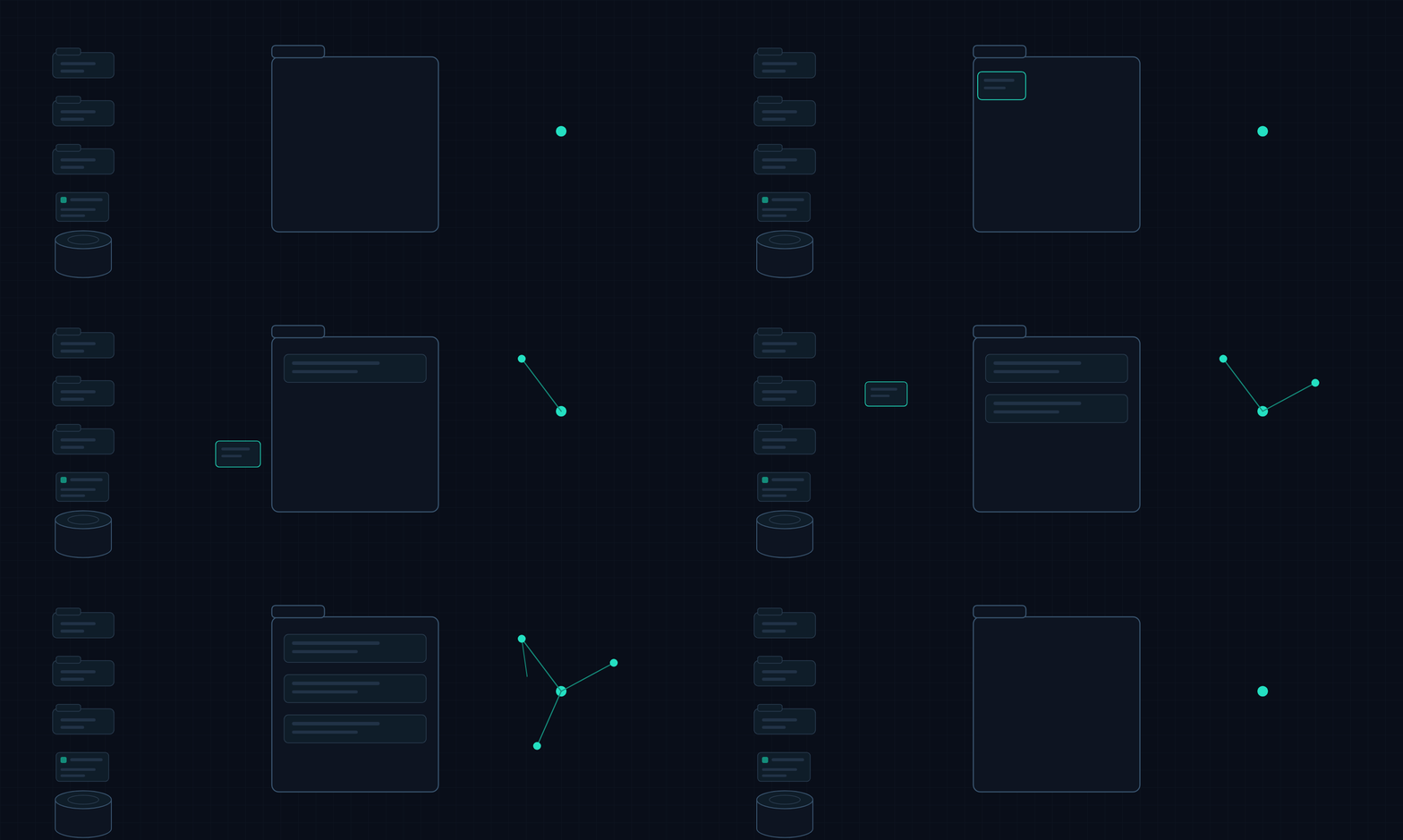
The obvious place to put it is the repository. That is usually not available. In client work, the repository is not yours, and a pull request full of your investigation notes is noise for the reviewer at best and a policy problem at worst. Even inside a product company, a document describing how three repositories interact doesn’t have an obvious home in any one of them.
So the map lives one level up, next to the repositories rather than inside them.
payments-platform/ api-gateway/ billing-service/ ... .knowledge/ architecture/ how the pieces actually fit together systems/ one note per repository data/ tables, stored procedures, who owns what rules/ business logic, finally written down requirements/ what product asked for, and its real blast radius decisions/ what we chose, and why, so nobody relitigates it runbooks/ what to do at 3am when the sweep did not runPlain text files. Nothing fancy. The leading dot keeps the folder out of the way of tooling that scans the workspace, and the subfolders exist because the questions repeat: how does this work, who owns this table, what is the rule, why is it like that, what do I do when it breaks.
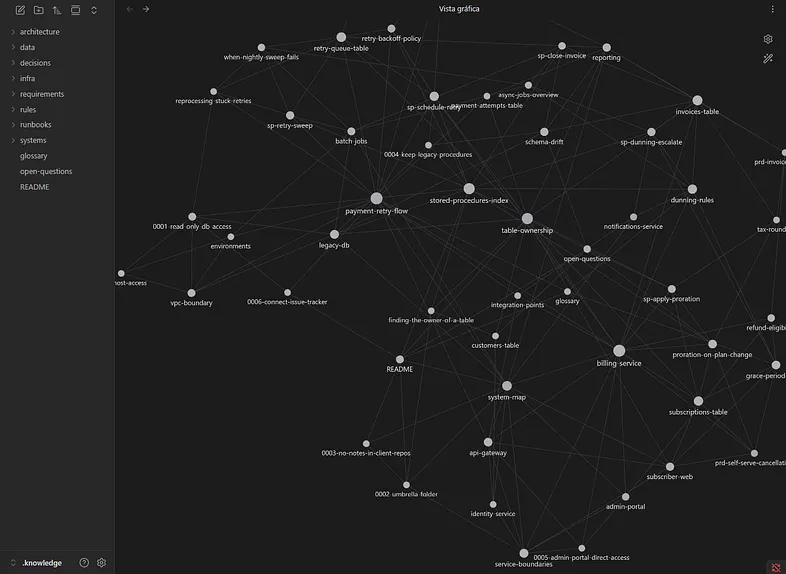
Obsidian, an opensource local “notion” tool.
Every time you dig something out of a stored procedure or a five-year-old ticket, you write two paragraphs about it. It takes a minute, and it converts a lookup you did once into something the assistant can read on every future question. After a couple of months, the data/ folder alone is worth more than any onboarding document the company has.
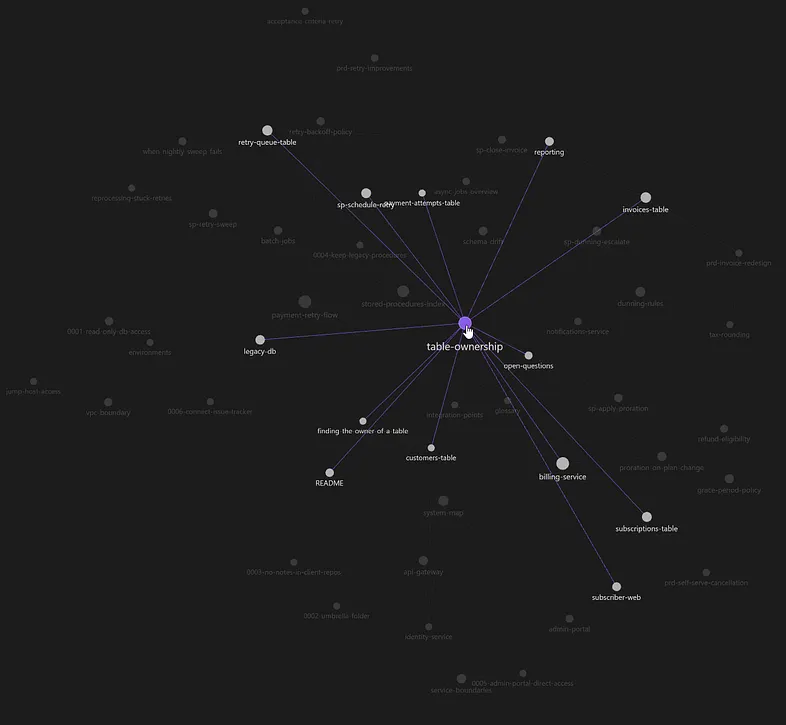
That is the moment it stops feeling like autocomplete and starts feeling like a colleague who has been on the project as long as you have.
After a few weeks, the assistant is not reading code. It is reading your accumulated understanding of the business.
The honest caveat: this rots. Notes go stale, the system changes, and a confidently wrong note is worse than no note. Date them, and delete the ones that are no longer true. The maintenance is real but small, and you can automate it later once the habit exists.
Tools change. The layer doesn’t.
For the record, because a technical post that hides its tools is annoying: the notes are plain markdown files, and the assistant writes most of them as we work. I read them in Obsidian and index the folder with Graphify, an open-source tool that turns a folder of files into a queryable graph.
Be honest about which part is doing the work, though. The markdown files are the whole artifact. Obsidian is a viewer: it gives me backlinks and the picture above, which helps me and does nothing for the assistant, because the assistant reads the files straight off disk. The graph only starts paying off later, when the folder outgrows what fits in one conversation, and you want to ask what connects to what without reading everything.
One distinction worth making, because people collapse these two. If the company documents in Confluence or Notion, shared knowledge belongs there. It is collaborative, the whole team fills it, and a wiki beats a private folder for anything the team has to agree on.
Your vault is a different layer. It holds the decisions you made and why you made them, the patterns you keep reaching for, the conventions you apply without thinking about them anymore. That is the part that gets the assistant writing code the way you write it, instead of the way the average repository on the internet does. Nobody is going to file that in a company wiki, and it would not really belong there.
A wiki holds what the team agreed on. Your vault holds your judgment__.
And if you cannot install anything on a client machine, that folder and grep still get you most of the way. Start with the folder and the files. Add tools when the folder gets big enough to hurt.
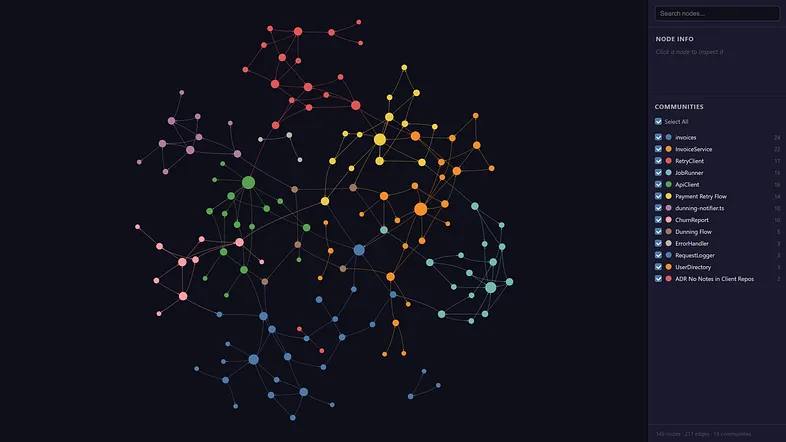
Graphify, an open-source tool, lets you connect different knowledge sources and files.
What doesn't get replaced is the layer itself: a folder above the repositories, connections to the systems that already know things, and a written map that grows as you work.
I want to be clear about what this is not. It is not a replacement for the company brain. If your organization buys a proper context platform next quarter, you should be delighted, and you will discover something useful: the notes you wrote are exactly the input that platform needs. Every one of these projects gets stuck in the same place: nobody has written down what the system actually does. You will have spent six months quietly doing that.
You are not replacing the company brain. You are building its first floor.
The ticket is still due Friday. Start there.
Where this goes next
This tension between the ideal setup and Monday is something I genuinely value about working at White Prompt, because we sell both ends of it.
The ambitious end is real. Legacy to Modern opens with what we call AI Code Archaeology: analyze the entire codebase, extract the business rules, map the dependencies, and document the undocumented logic, so that no tribal knowledge is lost when the system is finally modernized. That is everything I described in this post, done properly, at scale, and with a plan behind it.
But not every organization is ready to start there, and pretending otherwise helps nobody. You can start at step one instead. Sometimes that looks like a workshop that teaches the developers you already have to use these tools with judgment rather than enthusiasm. Other times, it looks like an engineer embedded in your team who improves the context layer proactively while still closing their sprints, so the map gets built as a side effect of the work that was going to happen anyway.
Either way, the folder above the repo is free. You can do that one tonight.