We’ve talked about what Cursor is, explored its AI-powered features — now it’s time to put it to the test.
In Part 1 of this series, we introduced Cursor, an AI-enhanced code editor that takes software development to the next level. Part 2 walked through Cursor’s core features, like Composer, Chat, Command-K, AI Rules, and Symbols.
Now, in Part 3, we’re going hands-on: We’re building a task management app using Cursor AI, starting from a PRD (Product Requirements Document) file that defines all the product requirements. The goal is to let the composer generate the code while we oversee and refine its work.
By the end of this post, you’ll see how AI can generate, refine, and enhance an entire app, proving that AI-assisted coding is more than just autocomplete — it’s a full development partner.
🛠️ Step-by-Step: Building a Task Management App with Cursor AI
We’ll build a simple task management app with three key features:1️⃣ Task board with columns (To-Do, In Progress, Done)2️⃣ Drag & Drop functionality3️⃣ Persistent data storage
0️⃣ Defining our Product Requirement Document
A PRD (Product Requirements Document) is the blueprint of a product. It defines its purpose, features, tech stack, and success criteria, ensuring alignment between teams. Think of it as the “North Star” that guides development from idea to execution.
1️⃣ Pair-programming with the Composer
Step 1: Ask Cursor to work on app featuresWe start with a simple request to Cursor’s Composer mode:
“Let’s build this simple to-do app based on @instructions.md. First, lets start with the “Create Tasks” feature, create all components you think necessary, use React best practices”
The Composer understands the context of the application we want to build by referencing everything we’ve outlined in the instructions file (our PRD). It then creates all the necessary components to complete the task.
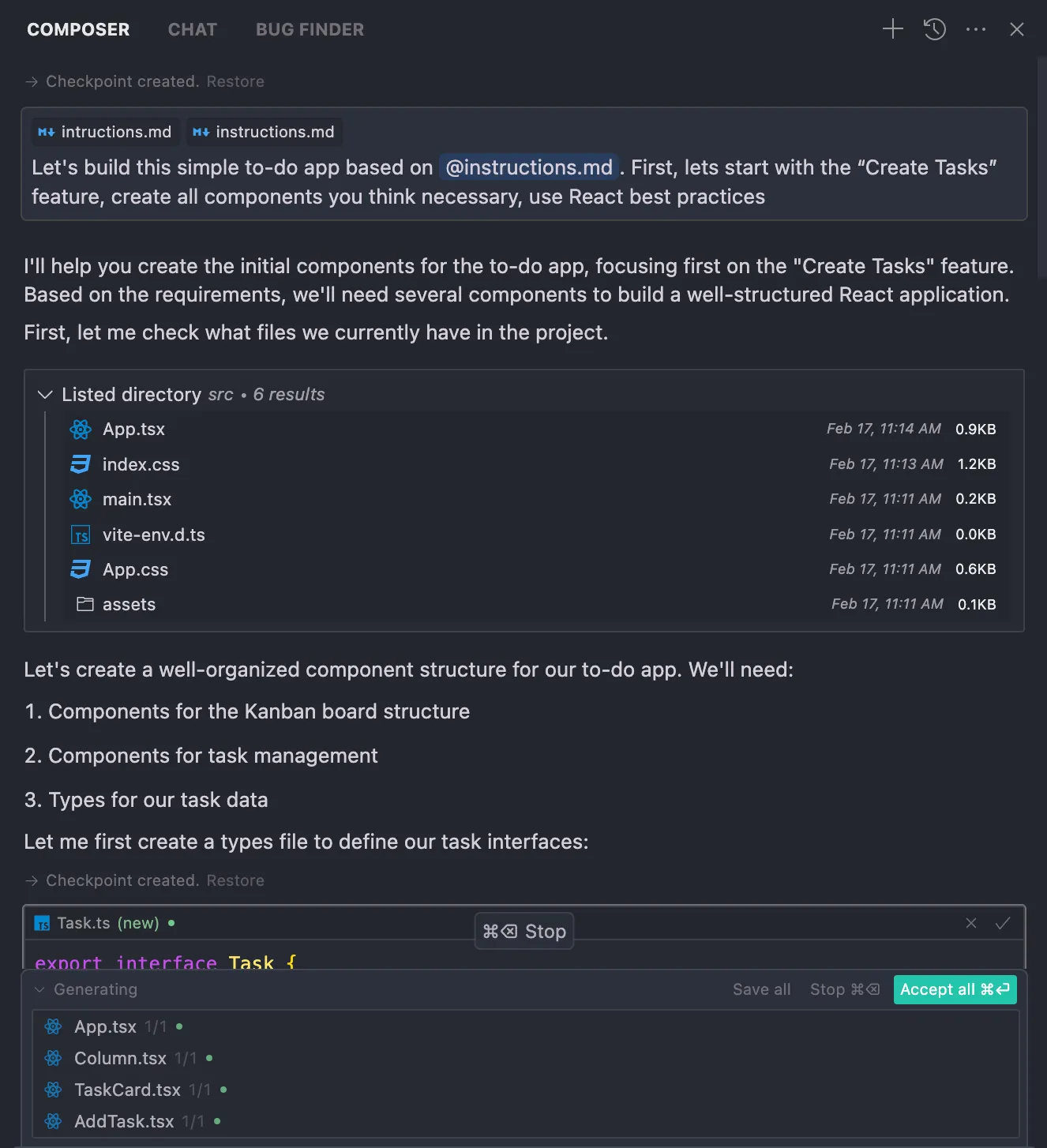
💡 Agent Mode vs. Normal Mode: Agent Mode gives Cursor more autonomy to understand project context and handle complex tasks better.
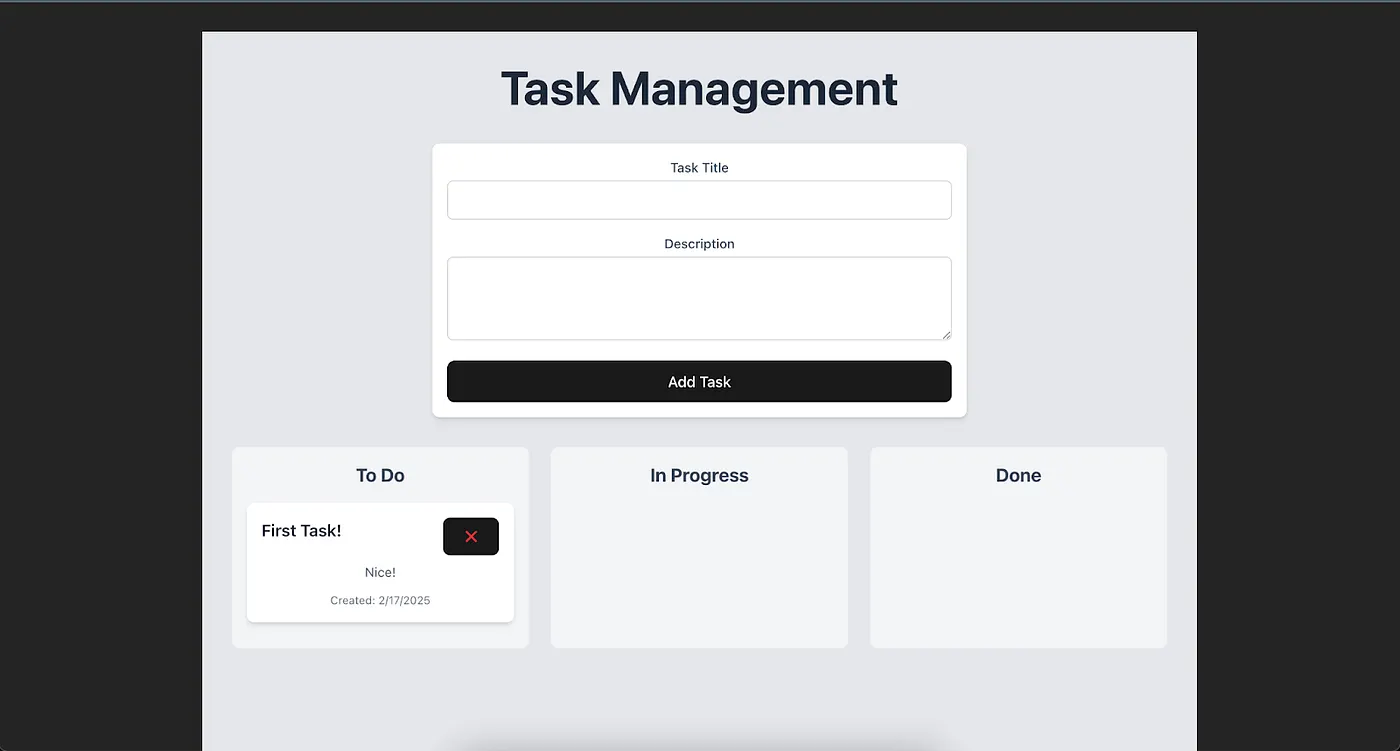
The results:
Step 2: Review and refine the work done
In step 1, Cursor successfully completed the task, and now we can create and delete tasks on our board. However, the styling isn’t perfect — this is where our role as supervisors comes in, allowing us to refine and tweak the design as needed (of course, we can also let Cursor make those changes for us — it’s up to the developer to decide how much work to delegate to it)
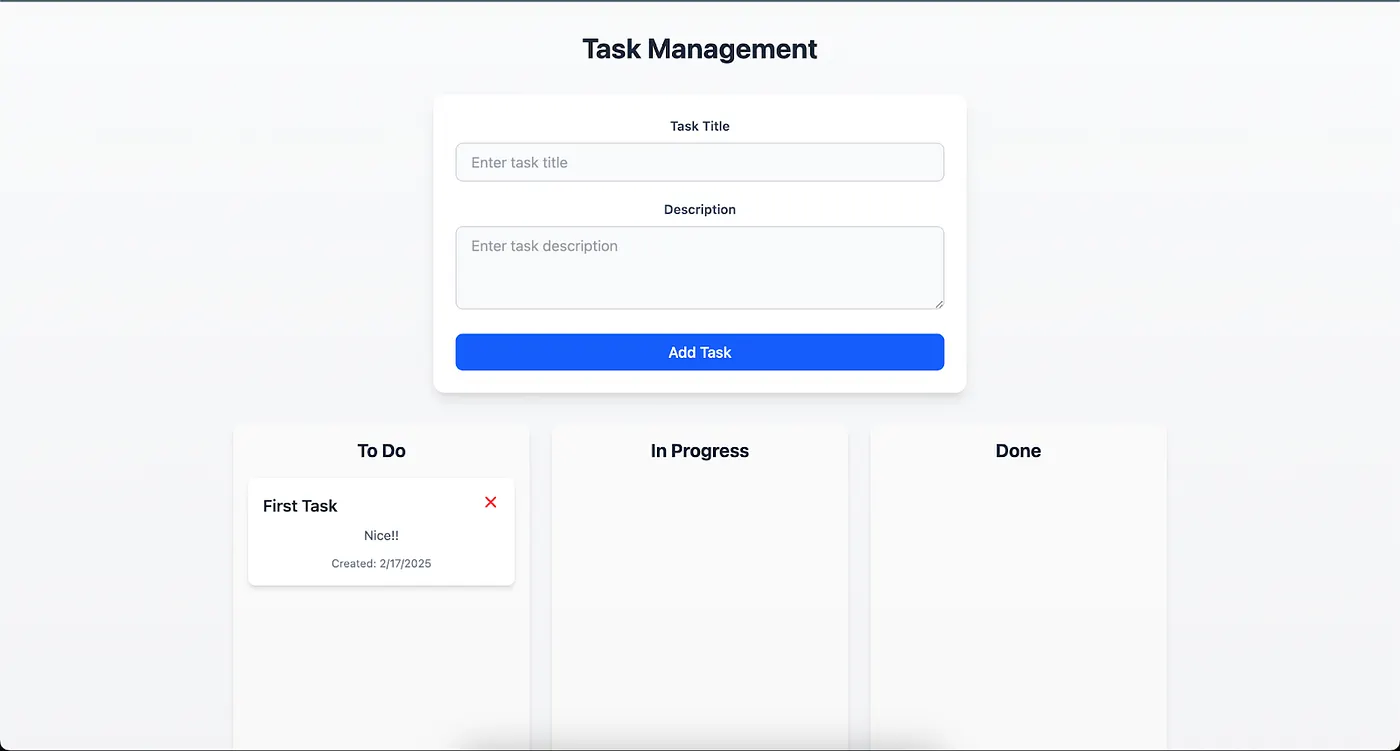
Step 3: Repeat steps 1 and 2 in a continuous loop
Development becomes an iterative cycle — AI generates code, we review and refine it, then repeat. This loop allows us to fine-tune the application efficiently, acting as architects and supervisors rather than writing everything from scratch.
With each iteration, we improve logic, enhance styling, and add features, ensuring a faster, higher-quality development process. This AI-driven workflow turns long manual coding sessions into an optimized, efficient experience. 🚀
2️⃣ Review the Final Results!
After reviewing each task, making some refinements, and tweaking the code, we now have a fully functional application with all the features outlined in our PRD. I even asked it to implement the additional features, and it handled them effortlessly. This way, I was able to build this simple application in under 30 minutes. Here’s the final result.
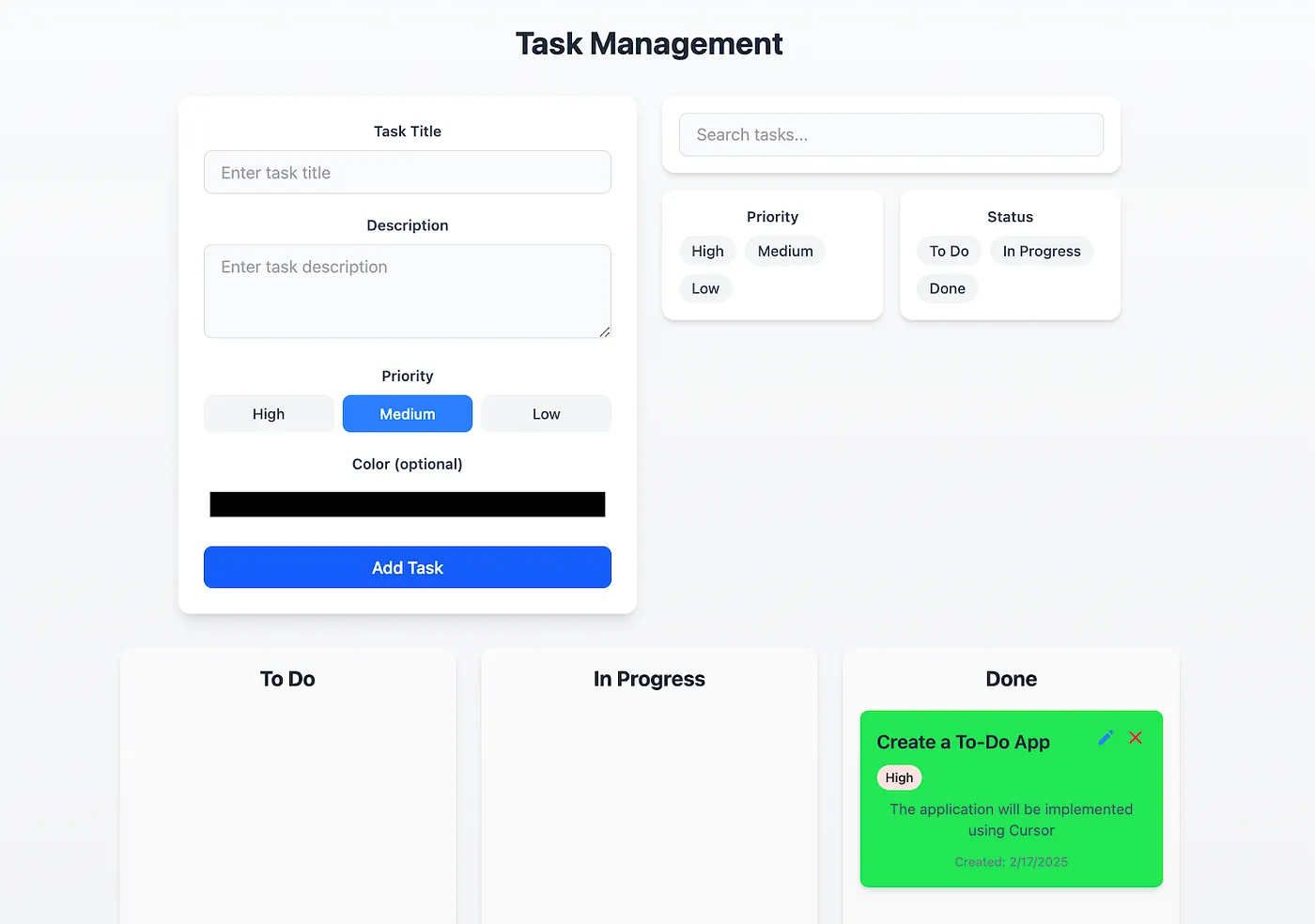
The features of this application are:
✅ Create tasks — Users can add new tasks in the “To Do” column.
✅ Move tasks — Drag and drop tasks between To Do, In Progress, and Done columns.
✅ Edit tasks — Modify the title and description of a task.
✅ Delete tasks — Option to remove tasks that are no longer needed.
✅ Data persistence — Save tasks in local storage or a database.
✅ Task priorities — Add priority labels (High, Medium, Low).
✅ Color customization — Assign colors to tasks for better organization.
✅ Search and filters — Search tasks by name or status.
🚀 What This Means for the Future of AI-Assisted Development
This experiment proves that AI-powered coding isn’t just about suggesting lines of code — it’s about:- Building real-world applications faster- Debugging and refining code in real-time- Handling complex development tasks with AI assistance
🤝 The Evolution of Programming: Developers and AI Working Together
Programming is evolving, and so is the role of the developer. Traditionally, writing software has been about manually crafting every line of code, debugging errors, and iterating on solutions. However, with the rise of AI-powered coding assistants, we are witnessing a paradigm shift — one where programmers and AI collaborate rather than work in isolation.
I believe the future of software development will look much like the workflow I described earlier: developers defining the core requirements, while AI takes on the heavy lifting of writing and structuring the code. This doesn’t mean developers will become obsolete — quite the opposite. Their role will shift toward defining, supervising, and refining rather than just writing raw code.
Instead of spending hours debugging syntax errors or manually implementing repetitive logic, developers will focus more on high-level architecture, ensuring that AI-generated code aligns with business goals, best practices, and efficiency standards. The key challenge (and opportunity) will be learning how to guide AI effectively — knowing what instructions to give, when to step in, and how to shape the outcome.
A simple PRD (Product Requirements Document) could become the primary input for AI-driven development, allowing us to build sophisticated applications in record time. The better we define our ideas, the more powerful and accurate the AI’s output will be. This could democratize software creation, making it accessible not just to seasoned engineers but also to a broader range of people with great ideas but limited coding expertise.
Of course, AI is not perfect — it still requires human intuition, creativity, and oversight. But the future is undoubtedly collaborative, and developers who embrace this new reality will find themselves more productive, efficient, and empowered than ever before.
The bottom line? The role of the programmer is evolving, but it’s not disappearing. It’s becoming more strategic, more creative, and more impactful — and that’s an exciting future to be a part of.
🔜 What’s Next
This wraps up our three-part series on Cursor AI! Thank you for reading and following along — We appreciate your time and interest! 🚀
🔹 Part 1: Introduction to Cursor & its benefits.🔹 Part 2: Deep dive into Cursor’s AI-driven coding features.🔹 Part 3 (this post): Hands-on app development using Cursor AI.
Ready to try it for yourself? Give Cursor a spin and experience AI-assisted development firsthand!
🔗 Try Cursor AI now: Cursor AI Official Site🔗 More AI development insights: White Prompt Blog
💬 What do you think about AI-powered development? Drop a comment below!