When developers started suggesting new features for a tool their business analyst had created, I understood the possibilities of building with AI.
Since March, I’ve been working at White Prompt as a Business Analyst and Product Manager, embedded in the Originations squad of a US fintech client. My job is the usual business analyst (BA) mix: understanding business needs, turning them into tickets the team can build and test, and keeping everyone aligned along the way.
Building software wasn’t part of the job description. But a few months in, I shipped a tool our engineering squads now use every sprint.
It started with a paywall.
A Small Problem Worth Solving
Like most agile teams, we estimate tickets with poker planning. We were using an online tool, but the free plan kept getting in the way: session limits, feature limits, the usual friction.
Paying was an option. Still, our needs were simple: show a ticket, everyone votes, discuss, repeat.
So I thought: Could I build something that does just that?
I’m not a developer, but I’d been using AI in my day-to-day work for a while. I wanted to see how far I could take it. I described what I needed to Claude, and we started building.
Writing Down What It Is, and What It Isn’t
I quickly learned that a prompt like “build a poker planning app” wasn’t enough. Getting a first version working was one thing. Keeping it coherent as I added features took more thought.
So I started putting decisions in writing: an architecture file describing the product and its boundaries, plus a set of user interface (UI) rules to keep the screens consistent.
My favorite part of the architecture file is the list of things we don’t build. When the tool later expanded to include retrospectives, I wrote:
The retro is a board of cards, never a shared canvas.
That principle led to concrete choices: no free-form positioning, no other people’s cursors, no recoloring notes, and no editing or deleting someone else’s contribution.
The idea was to give people room to think independently before discussing as a group. Notes stay private until collection closes, much like estimation cards stay face down until everyone has voted.
Writing that down gave me a way to evaluate new features. Would they support the meeting we wanted to have, or pull the tool toward something else?
The UI rules served a similar purpose. My favorite line:
If you cannot name the purpose as feedback, state, or preventing a jump, do not animate.
People hit the same buttons dozens of times during a meeting. I wanted the interface to stay out of their way.
Honestly, this felt a lot like my actual job: writing clear requirements, defining constraints, and thinking through edge cases. The difference was that I was handing the spec to an AI agent.
The better the spec, the better the result. That part felt familiar.
From Poker Planning to PMO Hub
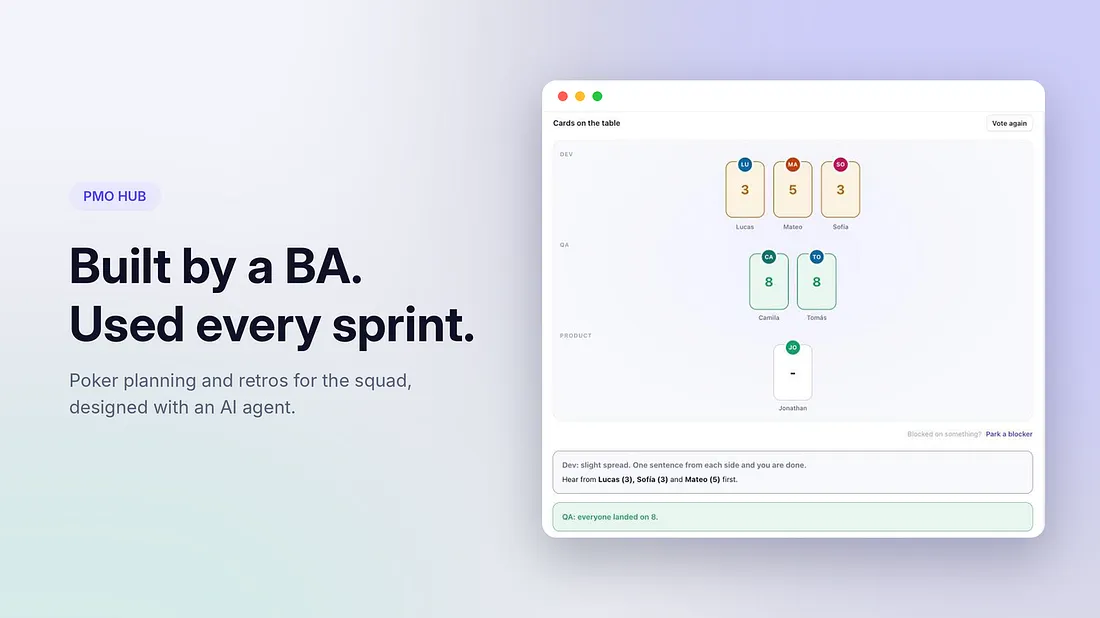
The first version did one thing: poker planning. I pasted in a ticket, the squad joined with a short code, and we estimated. The app is deployed on Vercel, so nobody had to install anything.
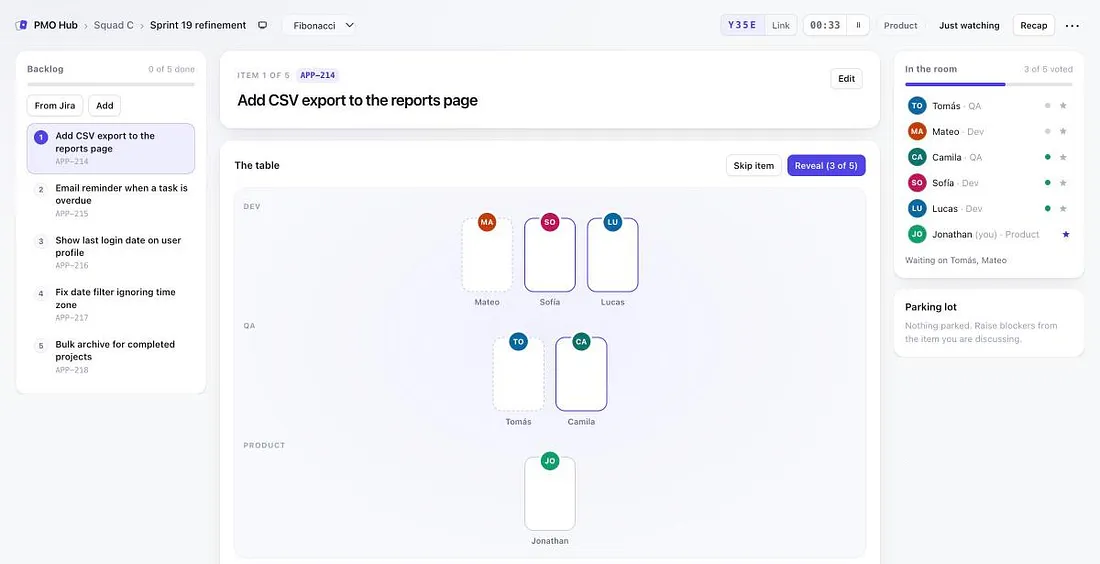
Once that worked, I started wondering: if we already had a space for estimation, could we use it for retrospectives too?
Adding retros was when it stopped being “the poker app” and became PMO Hub: one place for those two team ceremonies.
I also set a clear boundary around its scope. The tool was designed for team process context, without using the client’s business data. That helped me define what belonged in the app and what didn’t.
The Team Made It Better
I hoped people would use it. I didn’t expect them to start shaping it.
After the first version went live, developers and quality assurance (QA) team members started suggesting changes. One of my favorites came from a developer who pointed out that developers and QA team members don’t always see a ticket the same way. A change that’s small to build can be complex to test, and vice versa.
So we added estimation by role, with each discipline estimating separately.
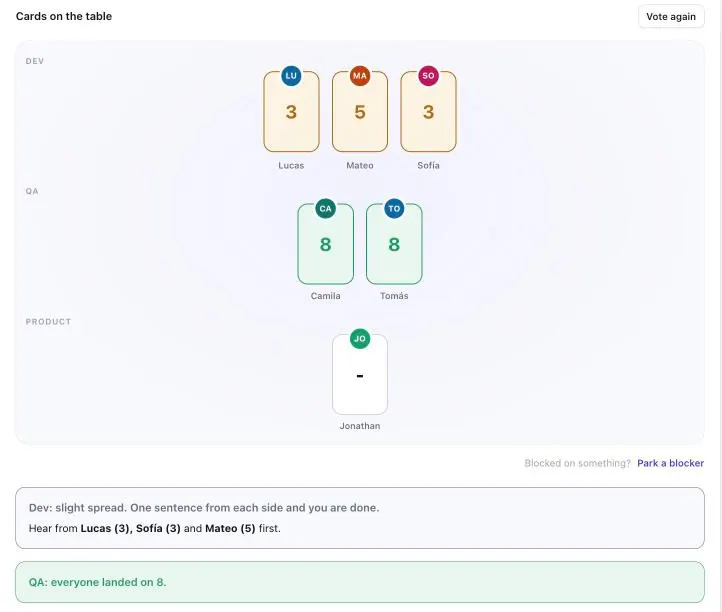
That idea made the tool better than anything I would have designed on my own. It also changed how I saw the project. The squad was helping decide what it should become.
For me, that was the most meaningful moment: the people using the tool cared enough to improve it.
What I Took Away
My BA skills were central to the work. Generating code was only part of the process. I still had to decide what to build, explain it clearly, think through exceptions, and keep new features consistent with the product’s purpose.
A small, recurring problem was a good place to start. I didn’t set out to build a platform. I wanted to make estimation sessions easier. Having a specific problem gave me a manageable first version and a clear way to judge whether it helped.
Early feedback mattered more than a perfect first design. Some of the best ideas came from people using the tool in real meetings. I needed to get it into their hands before I could learn from them.
There’s room to contribute beyond the original brief. As consultants, we’re hired to deliver what the client needs. Working closely with a squad also lets us notice everyday friction, and sometimes build something useful around it.
I still don’t write code. But I’ve stopped thinking of that as a limit on what I can build.
What About Your Squad?
Have you built something to make your team’s work easier? I’d love to hear what you tried and what changed once people started using it.
Author’s note: I used AI tools to help write and edit this article. The ideas, experiences, and story are my own.